ParkWhiz -- Parking App
- 4.2
- Rating
- 1.00M
- Installs
- Free
- Price

 Analysis by App-foxy
Finding a parking space is rarely difficult because the destination is hard to locate. The real trouble usually starts when I need a place that fits my arrival time, walking distance, and budget at the same time. ParkWhiz approaches that problem as a dedicated parking app rather than a general navigation tool. I use it when I want to look for parking before reaching a busy area, compare available choices, and avoid making the final decision while circling unfamiliar streets.
That focus makes it useful for city visits, sporting events, concerts, hospitals, airports, and ordinary workdays when street parking feels too uncertain. It is a free app from ParkWhiz Inc, and its listing places it in Maps & Navigation for Everyone. The app has been around since December 14, 2012, and its broad adoption is reflected in an average rating of 4.3 from around 27,000 ratings, with over 1 million installs. Those figures do not guarantee that every parking location will suit every driver, but they do suggest that the service has become a familiar option for people planning parking in advance.
Where the parking experience usually gets stuck
My first lesson with ParkWhiz is that the search itself is not the whole task. A result can look convenient on a map and still be awkward if I misunderstand the entrance, choose the wrong time, or arrive without having checked the booking details carefully. The app can help organize the decision, but it cannot remove the physical quirks of a parking facility.
You May Also Like

 Blood Strike: 2.5 Anniversary
Blood Strike’s Loadouts Turn Every Drop Into a Tactical Gamble
A close look at Blood Strike’s custom loadouts: how fast access to signature weapons reshapes its battle royale rhythm, rewards preparation, and narrows the gap between fights.

 Pandora - Music & Podcasts
Pandora’s Music Is Easy to Start, but Harder to Recover
Pandora’s strength is its low-effort path from a seed to a station. Its weak spot is how much confidence it asks you to place in connection, setup, and quiet recovery.

 8 Ball Pool
 Is Built on Rivalries, Rematches, and Routine
A close look at the rivalries, rematches, shared routines, and unanswered safety questions that turn a quick pool match into a persistent mobile community.

 Samsung Music
’s Quiet Strength Is Playing What You Already Own
Its reach comes less from spectacle than from dependable access to a personal library. That simplicity is both the app’s strongest retention engine and its ceiling.

 AccuWeather: Weather Radar
AccuWeather Review: A Quick, Clear Forecast for Everyday Decisions
For everyday plans, the best forecast is the one you can understand quickly. AccuWeather makes rain timing, radar, and local conditions easy to act on, with a few trade-offs.

 Hill Climb Racing
Why Hill Climb Racing Still Turns Crashes Into One More Run
A tiny car, a bumpy hill and one more upgrade: Hill Climb Racing keeps resurfacing because its simple chaos makes every near-miss feel personal.
More From Our News Desk



The most common point of friction is entering a destination too broadly. A venue, neighborhood, or large street may return several facilities that appear close together. The closest pin is not automatically the best choice. One garage may be nearer to the building but have a less convenient entrance, while another may involve a slightly longer walk and a simpler arrival. I find it better to treat the map as a shortlist, then inspect each option with the actual destination in mind.
Timing matters just as much. Parking that makes sense for a daytime appointment may be a poor choice for an evening event, and an option that looks available before a busy period may not be practical once traffic builds. I prefer to decide the approximate arrival and departure window before searching. That keeps me from comparing options on price or distance alone and makes the booking details easier to review.
Another easy mistake is assuming that a reservation means I can drive directly to any visible entrance and sort things out later. Parking facilities often have separate entrances, ramps, attendants, and signs. I read the instructions shown for the selected location before leaving, especially when I am visiting an unfamiliar part of town. A few minutes spent checking the address and access notes is more valuable than relying entirely on the map pin.
There is also a human factor. If I am driving, I should not be trying to compare facilities while moving through traffic. I make the choice before departure or ask a passenger to handle the screen. ParkWhiz is most helpful as a planning tool, not as something I constantly operate at the wheel.
What I check before trusting a result
I start by confirming that the destination is the right one. Large venues can have similarly named entrances or multiple nearby buildings. I then compare walking distance, the arrival route, and the time window together. A low-cost space that leaves me on the wrong side of a large complex may be less useful than a slightly less convenient-looking alternative.
I also look at the facility name and street address rather than memorizing only the map position. In dense areas, several garages can be separated by one block, and a small navigation error can place me at an exit instead of an entrance. The written address gives me something concrete to match against street signs.
Before confirming, I read the booking information from beginning to end. I want to know what date and time I selected, which facility I chose, and what instructions are displayed for arrival. This is one of the app’s less glamorous but most important workflows: the search is quick, while the careful review prevents avoidable confusion later.
Setup checks that save time later
My setup routine is deliberately simple. I install the app, open it before I need to park, and make sure I can move through the search and selection screens without rushing. If I am planning for an event, I do this at home rather than in a line of traffic. The goal is not to explore every screen; it is to become familiar with the basic path from destination to selected facility.
I check that the phone has a dependable internet connection before starting the search. A weak connection can make any map-based service feel broken, especially when the problem is actually the network. If the results do not load, I first move to a better signal or switch to a stable connection, then try again instead of repeatedly tapping the same control.
I also keep the confirmation details accessible. A screenshot or saved reference can be useful when I am entering a garage with limited time to look at my phone. I do not treat that as a replacement for the live app, but it gives me a quick reminder of the selected facility and booking information if the connection becomes unreliable near the destination.
For a first use, I recommend searching for a familiar location rather than waiting until an important appointment. That practice reveals how the map, facility details, and confirmation flow feel on a particular phone. It also lets me notice whether I prefer choosing by walking distance, location, or the instructions provided for a facility.
One practical tip is to avoid making the app responsible for the entire journey. I use ParkWhiz to plan and arrange parking, then use the navigation tool I already trust for the drive. This division is clearer than expecting one app to handle destination search, turn-by-turn driving, parking access, and the walk from the garage. It also makes troubleshooting easier because I know which part of the trip is failing.
Recovering when the workflow goes wrong
If a search produces no useful result, I do not immediately assume the app is malfunctioning. I first simplify the destination and try a nearby landmark or a more precise address. A broad venue name may be interpreted differently from the street address, and a small change can produce a more relevant set of parking choices.
If the map behaves strangely, I close and reopen the app, verify the connection, and repeat the search calmly. I avoid changing several things at once because that makes it difficult to identify the cause. If the problem appears only for one location, the issue may be the search wording or the local availability rather than the installation itself.
When an option disappears, I treat the new result as current and reassess rather than assuming the earlier screen is still valid. Parking availability can change as people make selections, particularly around busy destinations. I compare the remaining choices again and check the time window before proceeding. A previously viewed result is not a reason to select a less suitable facility without reviewing it.
Confirmation is another point where patience helps. If the screen seems slow after I submit a choice, I avoid pressing the action repeatedly. I check whether the booking has already completed before trying again. Duplicate attempts can create more uncertainty than a short wait, so I look for the confirmation information first and keep a record of what I see.
If I cannot find the confirmation later, I search the app’s own account or booking area before starting a new reservation. I also check the email account associated with the transaction if one was used during the process. The important habit is to identify whether the booking exists before making another one. That is a general recovery step, not a promise that every account or payment issue can be resolved inside the app.
When the selected facility is difficult to identify on arrival, I compare the street address, facility name, and posted signs. I slow down, pull over safely if needed, and verify the entrance rather than entering the first garage that looks nearby. This is where a saved confirmation is especially useful: it reduces the amount of searching I need to do while traffic is moving around me.
If the app closes unexpectedly, I reopen it and return to the booking details instead of assuming the reservation vanished. If the phone itself is overloaded or the operating system is having trouble, restarting the phone can help. I keep the troubleshooting basic because the most useful response is usually restoring a stable connection and recovering the booking information, not changing complicated settings.
When the app is not the cause
Parking problems often happen outside the app. A facility may be full, temporarily difficult to enter, affected by road closures, or surrounded by event traffic. A navigation route can also send me toward a street that is technically close but inconvenient for the garage entrance. In those situations, the app may have done its planning job while the real obstacle is on the road.
Construction and temporary restrictions deserve particular attention. A map pin cannot always communicate the practical effect of a blocked lane or a changed traffic pattern. I check the planned route before leaving and allow extra time when the destination is in a busy district. If the entrance is on a one-way street, approaching from the wrong direction can turn a simple arrival into a long detour.
It is also important to separate the facility’s operation from the app’s interface. Questions about where to enter, how to follow the garage signs, or what to do when an attendant is present may be answered by the instructions connected to the selected location or by staff on site. I do not keep retrying the search when the real question is about the physical facility.
For a time-sensitive appointment, I build in a buffer. A reservation can make parking more predictable, but it does not control traffic, elevators, walking speed, or the distance between the garage and the final destination. This is a key trade-off: advance planning reduces one source of uncertainty, while the rest of the trip still needs ordinary preparation.
People who expect a general navigation app to show every possible street space may find ParkWhiz too specialized. Its strength is planning around parking facilities and making a deliberate choice before arrival. If I am simply driving through a quiet neighborhood and want the fastest route, a standard maps app may be more direct. If I am visiting a crowded venue, the dedicated parking workflow becomes more valuable.
Who benefits most from this parking workflow
I see the greatest value for drivers who dislike last-minute searching. It is particularly useful when I am going somewhere with a fixed start time, such as a show, appointment, meeting, or game. Choosing parking in advance lets me think about walking distance and arrival instructions before the pressure of the event begins.
It can also help occasional city visitors who do not know local garage layouts. Instead of guessing from street signs, I can compare facilities near the destination and keep the selected address in one place. That is more reassuring than arriving with only a vague plan to “find something nearby.”
Families and passengers with mobility concerns may appreciate the chance to consider the walk before setting off. I would still inspect the facility information carefully and avoid assuming that proximity alone answers accessibility needs. The app can support the planning conversation, but the final suitability depends on the location and the person using it.
On the other hand, I would skip it when I need a completely spontaneous stop, when the destination is outside the service’s useful coverage, or when I am unwilling to read the booking instructions. The app rewards a small amount of preparation. Someone who wants to drive until a space appears may find the extra planning unnecessary.
How it compares with the usual alternatives
Compared with a general maps app, ParkWhiz gives parking the leading role. A navigation app is excellent for routes, landmarks, and live driving guidance, but parking may be only one layer among many. ParkWhiz is better when the main question is which parking facility to choose before I leave.
Compared with street-by-street searching, the app trades spontaneity for predictability. Circling can occasionally uncover a convenient space, but it also consumes time and attention. Advance selection is especially attractive near busy destinations, where the cost of arriving without a plan is high. The trade-off is that I must commit to a facility and follow its instructions rather than keeping every possibility open.
Compared with relying on a venue’s own directions, ParkWhiz can make the parking decision more central to the trip. Venue information may explain where visitors should go, while a dedicated parking service helps me focus on the available facilities around that destination. I still use the venue’s access guidance when it matters, because the best parking choice depends on which entrance I actually need.
The app is not a magic layer over every local parking rule. I would not use it as my only source of information for a complicated trip involving unusual vehicle requirements, changing road restrictions, or a highly specific accessibility need. In those cases, I combine it with direct checks and route planning. That extra step is not a failure of the app; it is sensible preparation for a situation where small details matter.
My practical verdict after using it as a planning tool
ParkWhiz works best when I use it before the journey, not as a last-second rescue while driving. Its main benefit is psychological as much as practical: I can make the parking decision while calm, then concentrate on reaching the destination. The most reliable workflow is to search precisely, compare the facility rather than only the pin, read the arrival instructions, confirm the time window, and keep the booking details available.
I like that the app is free to download and aimed at a general audience, while its long presence in the category gives it the feel of an established parking service. ParkWhiz, an Arrive Mobility brand and part of the Arrive Network, is developed by ParkWhiz Inc. The listing’s 4.3 average and roughly 9,600 written reviews indicate a substantial user conversation around it, although I still judge the app by whether it fits my particular destination and habits.
My honest reservation is that the app cannot make an inconvenient garage convenient. A result may be close on the map but awkward in real traffic, and a smooth booking flow does not remove the need to understand signs, entrances, and local conditions. I also find that users who skip the confirmation details create many of their own problems. The app is most dependable when I treat it as part of a wider travel plan.
For a normal day in a familiar area, I may not need it. For a crowded destination, a fixed appointment, or a trip where circling for parking would be stressful, I would recommend giving it a try. The best reason to use ParkWhiz is not simply finding a space; it is replacing an uncertain arrival with a parking plan I can check before I leave.
FAQs for ParkWhiz -- Parking App
01What is ParkWhiz and how does it work?
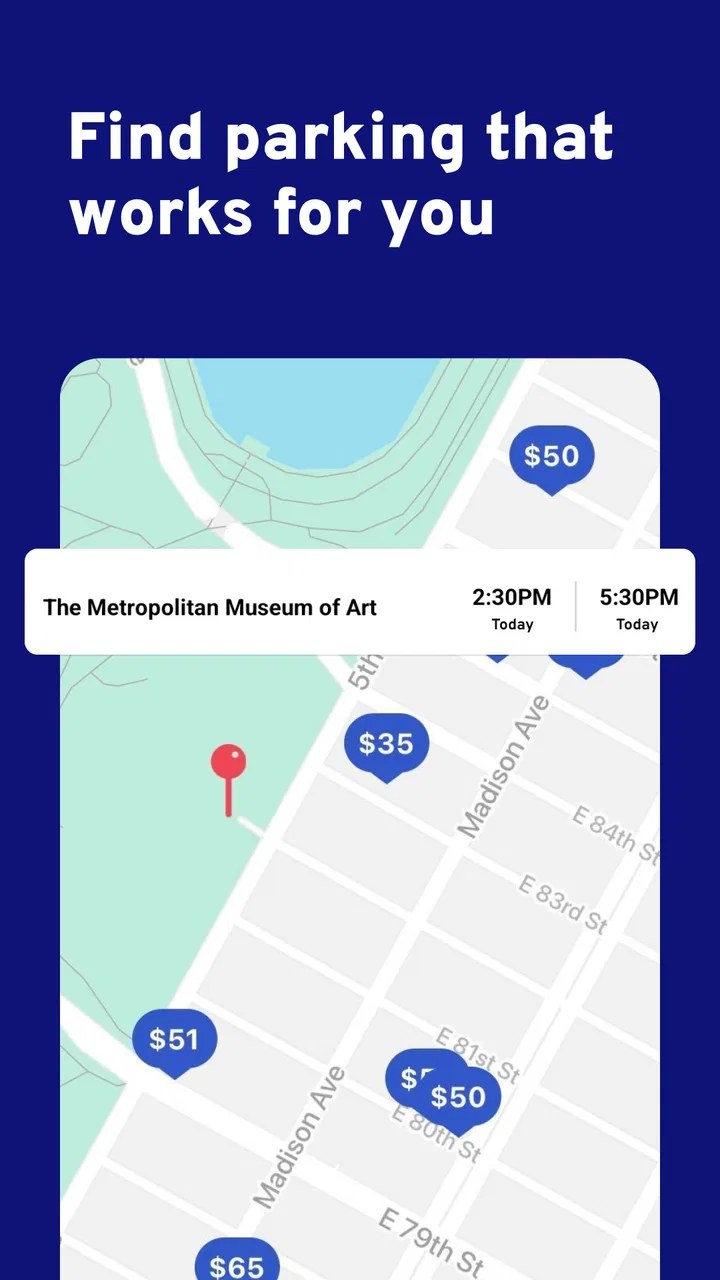
ParkWhiz is a parking app that allows users to find and reserve parking spots in advance, saving time and reducing stress. By entering your destination, the app shows available parking options nearby, along with pricing and availability. Once a spot is selected and paid for, users receive a digital parking pass to use upon arrival.
02Is ParkWhiz available in my city?
ParkWhiz operates in many major cities across the United States, including New York, Chicago, San Francisco, and Los Angeles. To check if ParkWhiz is available in your area, you can visit their website or download the app and search for parking options in your city.
03How does payment work on ParkWhiz?
Payments on ParkWhiz are processed securely through the app. Users can pay using a credit or debit card, and some locations may offer additional payment options like PayPal. Once payment is completed, ParkWhiz provides a digital parking pass that you present at the parking facility.
04Can I cancel or modify my reservation on ParkWhiz?
Yes, ParkWhiz allows users to cancel or modify their reservations, but policies may vary depending on the parking facility. It's important to review the cancellation policy at the time of booking. Some locations offer free cancellations up to a certain time before the reservation, while others may have stricter terms.
05Is ParkWhiz safe to use for parking reservations?
ParkWhiz is designed to be a secure and reliable platform for booking parking spots. It partners with reputable parking facilities and uses secure payment processing to ensure user safety. Additionally, the app provides customer support to assist with any issues or concerns that may arise during your parking experience.
Pros
- User-friendly interface makes booking easy.
- Offers real-time availability updates.
- Wide range of parking locations available.
- Secure payment options enhance safety.
- Detailed reviews and ratings from users.
Cons
- Occasional glitches in app performance.
- Limited customer support response time.
- Some locations have higher pricing.
- Booking errors in high-demand areas.
- Offline mode lacks full functionality.

ParkWhiz -- Parking App
Gallery